
Voice Solutions
A business phone system that lives in the cloud
Calls that don’t drop. Numbers you keep. The person who set it up is still here.
VoIPCall centreVirtual numbersIVRCall routingCall recording
Your business phone system, in the cloud
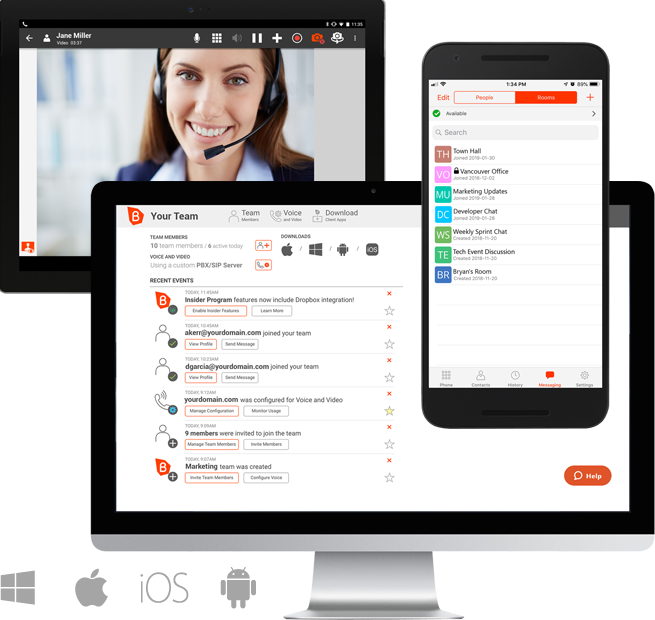
Office Cloud Business runs your phones in the cloud. Your team can answer calls on a desk phone, a laptop, a mobile app or Microsoft Teams, from the office, at home or on the road. There’s no PBX box in the server room and no hardware to upgrade.
Use it as your main phone system or as a full call centre, or run it alongside your existing system and move across at your own pace.
Built into every install
- Hosted PBX. Your switchboard, in the cloud. No on-premises hardware to maintain.
- Voice quality, monitored. Call quality is monitored, so problems are picked up early.
- Call recording. For compliance, training, and the awkward “what did they say?” moment.
- Cabling and infrastructure. We install the wires and the wall plates. Then we make them work.
- Your own online portal. Manage extensions, numbers and features yourself, any time.
- Remote maintenance. We can support and update your system remotely, without a site visit.
- Voicemail, auto attendant and conferencing. Included as standard.
Why choose a cloud phone system
Work from anywhere
Take calls on a browser-based webphone or the iOS and Android apps.
Keep talking when the power goes
Calls are handled in the cloud, so you can route them to mobiles during load-shedding or an office outage.
Lower running costs
No PBX hardware to buy, maintain or replace.
Grow easily
Add users and numbers as your business grows.
Phones and apps: answer calls your way
Every user can take calls on a desk phone, a cordless handset, a computer or a mobile phone, or a mix of all four. They all ring on the same extension.
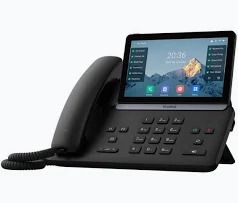
Yealink touchscreen desk phone
A business desk phone with a colour touchscreen, for reception, managers and busy desks. Contacts, call history and transfers are a tap away.
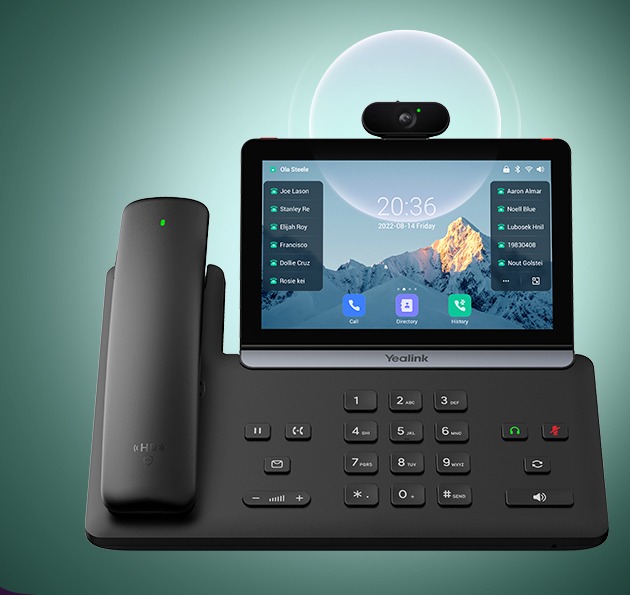
Yealink video desk phone
The same touchscreen desk phone with a camera added for face-to-face video calls from the desk.
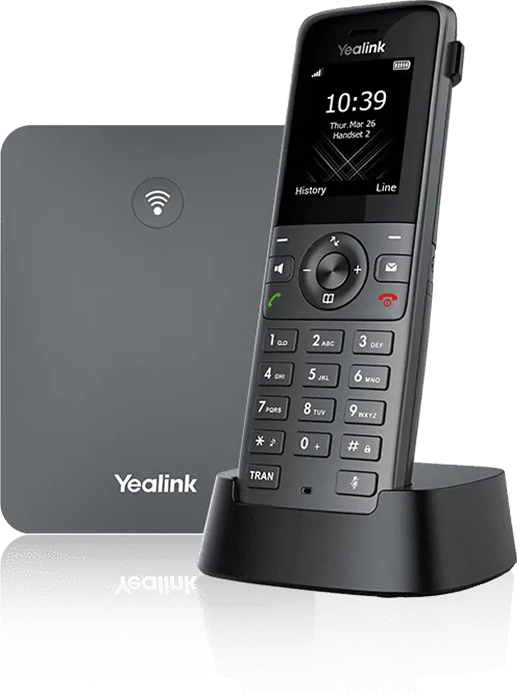
Yealink cordless (DECT) phone
A cordless handset and base station, for staff who move around the building: warehouses, workshops, showrooms and reception areas. Take a call anywhere on site without missing it.
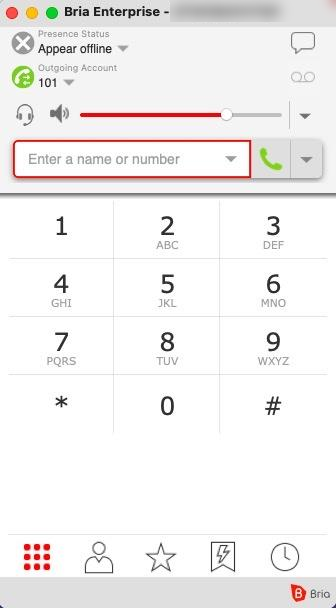
Bria softphone for computer, tablet and mobile
Make and take calls with the Bria softphone app on your computer, tablet or mobile phone, on Windows, Mac, iOS and Android. Work from home or on the road with the same number and extension as in the office.
Meeting rooms
For meeting rooms and boardrooms, we also supply interactive smart boards with a built-in camera, microphones and speakers for video calls. See our smart boards
Not sure which phones you need? We’ll recommend the right mix of desk phones, cordless handsets and softphones for your team.
Click to call: calling made easy from your PC
With a softphone on your computer, your office phone lives right on your desktop. Put on a headset and you’re ready to make and take calls.
- Click to call. Click a phone number on a website, in an email or in your contacts, and your softphone dials it for you. No more typing in numbers or misdialling.
- Your extension, anywhere. The same number and extension at your desk, at home or on the road.
- Everything with a click. Answer, hold, transfer, mute and add people to a conference call on screen.
- See who’s free. See which colleagues are already on a call before you transfer someone to them.
- Call history and contacts. Missed calls, recent calls and your contacts in one place, so calling back takes one click.
- Fewer devices to manage. For many staff, a headset and their PC can replace a desk phone.
Depending on your setup, click to call can also work from your web browser and from tools like your CRM. We install the softphone, connect it to your phone system and show your team how to use it.
Your Office Cloud online portal
Every Voice Solutions customer gets their own login to the Office Cloud online portal. See what’s happening on your phone system and change it yourself, without waiting for a technician.
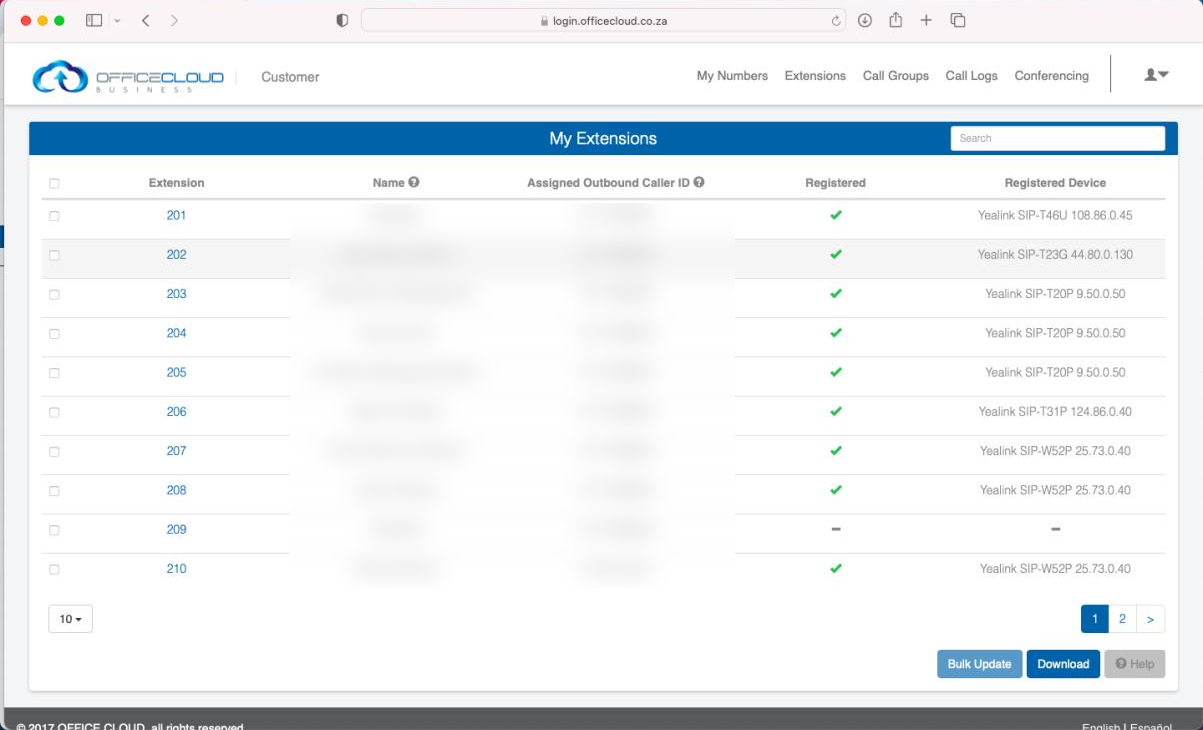
See every extension at a glance
Every extension, who it belongs to, the caller ID it shows, and whether its phone is connected, all on one screen. Update extensions one at a time or in bulk.
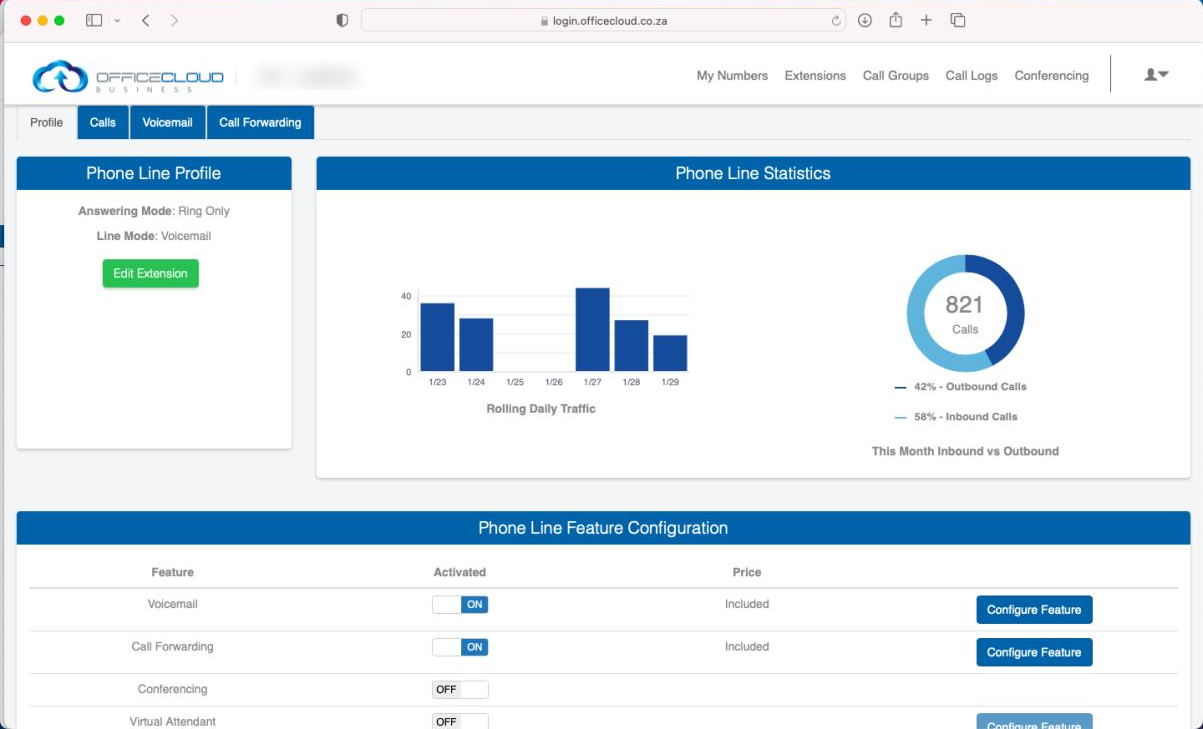
Call statistics
Daily call traffic and the split between inbound and outbound calls this month, so you can see how busy your lines are.
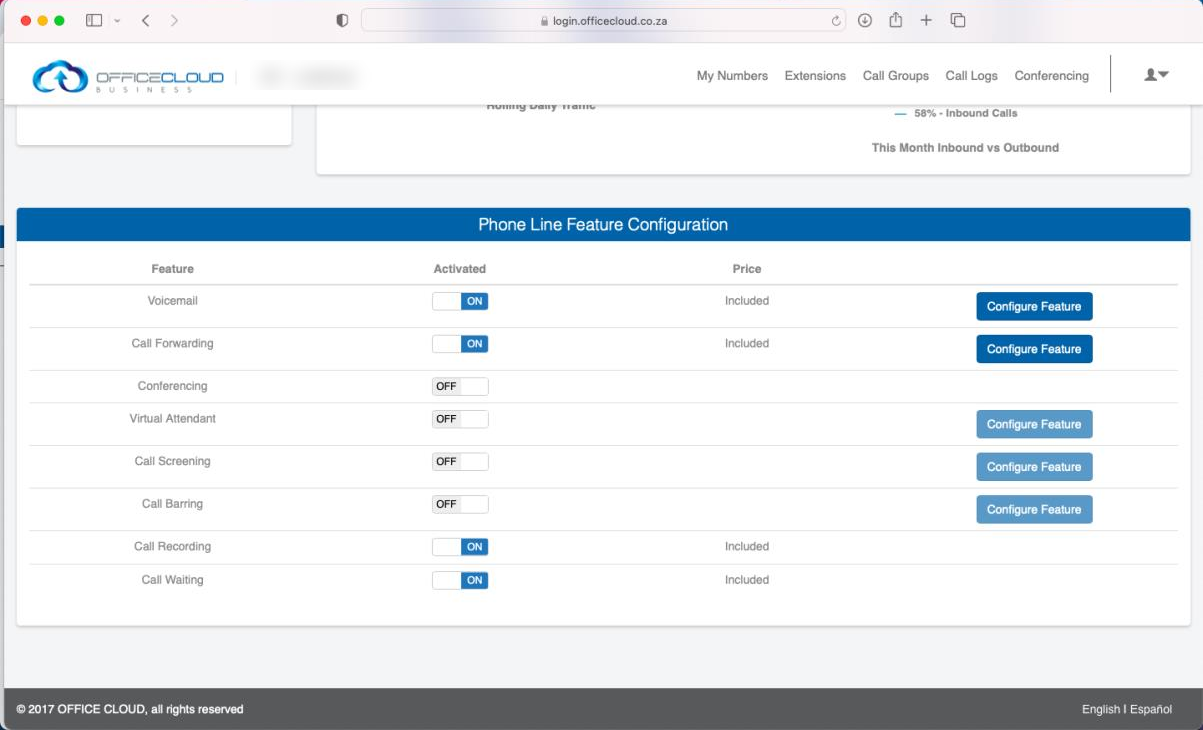
Switch features on and off
Turn voicemail, call forwarding, call recording, call waiting, call screening, call barring, conferencing and the virtual attendant on or off for each line, and set them up yourself.
From the portal you can also: manage your numbers, set up call groups so several phones ring together, check call logs, and run conference calls.
Numbers in South Africa and abroad
Get local and toll-free numbers from one provider, in South Africa and in over 160 countries.
- South African numbers: including 011, 021, 031 and 0800 numbers
- Keep your number: move your existing numbers across through number porting
- International 2-way numbers: give customers abroad a local number to call, and show a local caller ID when you call them back, where available
- Number types: local, toll-free, international toll-free, universal international freephone (UIFN), non-geographic and vanity numbers
Coverage differs by country and city. Tell us where your customers are and we’ll confirm what’s available before you sign.
Call centre features
Call routing and IVR
- Drag-and-drop call flow builder for menus and routing, without code
- Auto attendant with menu options and direct extensions
- Business-hours and after-hours routing, voicemail and custom greetings
- Call queues with a callback option, so customers don’t have to wait on hold
Managing your team
- Live dashboard showing active and waiting calls
- Listen in, whisper to coach an agent privately, or join a live call
- Call outcomes recorded for each call
- Hosted call recording
Reporting
- Reports on total calls, average talk time and call outcomes, by agent or team
- Call traffic reports by region
Works with the tools you already use
Your phone system connects to more than 40 business tools. A caller’s record can pop up on screen as the phone rings, and calls are logged in your CRM automatically.
- CRM and helpdesk: HubSpot, Salesforce, Zoho, Zendesk, Freshdesk
- Collaboration: Microsoft Teams, Zoom
Frequently asked questions
Do I need new phones?
Not necessarily. Your team can use the webphone in a browser or the mobile apps. Ask us about using desk phones you already own.
Can I keep my existing number?
Yes. We can port your current numbers across.
Will it work with Microsoft Teams?
Yes. You can make and take calls inside Teams.
What happens during load-shedding?
Your phone system lives in the cloud, so it stays up. Staff can keep taking calls on mobile data with the app.
Can I get a number in another country?
In most cases, yes. Tell us the countries and cities you need, and we’ll confirm availability before you commit.
Is our call data protected?
The platform has a published POPIA policy and South African terms and conditions.
Ready to talk about your phone system?
We’ll recommend the right numbers, call flows and integrations for your team.
Johannesburg: 011 023 4538 KwaZulu-Natal: 032 150 0555 Email: enquiries@officecloud.co.za